Showing posts with label Gateway. Show all posts

Friday, November 16, 2018

Beware: SAP Gateway services can default not be Cross-Domain / CORS accessed

In our business context we have non-SAP web applications that invoke SAP Gateway services to retrieve business data. This week I was involved in a rewrite of such application (the need for rewrite being that another consumed data source, namely a SharePoint List, was moved to a new destination, from on-premise SharePoint 2010 to Office 365 SharePoint Online). While testing the updated application codebase, I noticed that I unexpected run into data retrieval issues with getting the SAP data; on code that I did not even touch. After some investigation, the cause appeared to be a Cross Domain issue: the consumed SAP Gateway services are deployed on another domain as the application (whether run local via Node.js, or on the target webserver). The problem was known to application owner, and pragmatic solution to use the application only from Internet Explorer (IE); as that includes an option to disable the Cross Domain check. Mind you, I initially did my testing via Chrome and Edge; both browsers do not support to skip the Cross Domain check in their default usage behavior.
Having a developer and solution-aware mindset, I then thought to fix the application itself to enable Cross Domain data access. All browser support this via CORS. Change in the JavaScript codebase should be simple, call the service requests with Cross-Domain awareness: see Using CORS. However, even with this code change the application (or rather the browser) failed to retrieve the data from the SAP Gateway services. With developers tools I inspected the network traffic, and identified the problem. The PreFlight request issued by the browser for non-simple CORS data requests, are responded by the SAP Gateway application with HTTP 401.
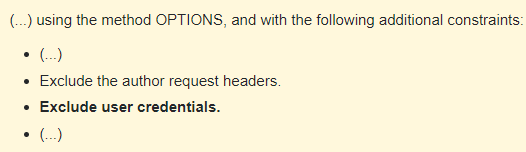
This is not compliant with the CORS specification: Preflight requests must not include the user credentials. See the W3C Cross-Origin Resource Sharing specification, preflight request
All modern browsers obey to the CORS specification, and do intentionally not include Authorization in the Preflight OPTIONS request. SAP NetWeaver should respond with sending the CORS response, and next the succeeding actual http request (with GET, POST, PUT, or DELETE method) will include Authorization information: this is the call that actually goes into the SAP backend to access the stored business data.
The SAP Gateway specific cause is written in post How to Enable CORS on SAP NetWeaver Platform:
...why is the Preflight Request failing? The issue lies in how a Preflight Request is constructed. According to the CORS specification, the Preflight Request must NOT carry any user credential. As most applications on NetWeaver require user authentication, the Preflight Request will get an “HTTP 401 Unauthorized” error message, thus failing the request.
The post also describes an approach to resolve it directly on SAP Netweaver level, via combination of SICF configuration and ICM rewrite rules. Another approach can be to utilize a reverse proxy in the network infrastructure, and let that handle the CORS handling in front of the SAP NetWeaver destination.

Friday, September 30, 2016

Why is Fiori adoption lagging behind?

Yesterday I attended a meeting of the Dutch SAP User Group (VNSG) on the topic ‘Customer Fiori Experiences’. As usual, the audience was mostly consultants/developers of SAP consultancies, and only a few actual end-customer attending. After interesting sessions on the state of Fiori (a.o. on SAP Fiori Cloud Edition), the meeting ended with a roundtable to share experiences. And in particular to discuss and answer on the topic how-to increase Fiori adoption in the market. According to latest numbers, (only) 10% of SAP customers world-wide are active with Fiori, and significant subset of them merely with 1 or 2 first Fiori Apps. Note, in The Netherlands the number is higher, as we’re very technology-savvy and typically run ahead of the rest of the world on adoption of new technologies.
There was large consensus in the group that the minimal actual Fiori implementations is for a major part still due unfamiliarity. Not so much by business and end-users, but by majority of SAP developers for which the step to Fiori / UI5 is [too] big, and they prefer to just stick within their comfort zone. Although there might be truth in this, I personally think the more important causes are others.
The most important is that for SAP customers there must be a tangible business case to switch to Fiori. It is not sufficient, even irrelevant for SAP organizations to switch to new technology and products just because SAP is now delivering it (and promoting it as the next great thing). Even though standard Fiori Apps do not have a license cost (anymore), there is still investment costs involved to transition from current application formats (e.g. GUI transactions, Portal application, WebDynpro) to Fiori as new UI and interaction concept. The investment costs are within preparing the IT landscape infra (introduce NetWeaver Gateway, and Fiori Front-End Server), deploying Fiori Apps plus the required underlying Gateway OData services in the SAP landscape, align with and convince Enterprise Architecture plus (IT) security that Fiori is a future-proof and secure/safe approach, educating end-users. And typically the standard Fiori Apps are not addressing the core of the specific organization, and custom Fiori Apps + Gateway OData services must be developed. And there is again the business case: if there is an existing application that still does the job, even with outdated, stone-aged layout and user-experience, there is little business motivation to invest in improving that for the internal employees. So what is needed then? In my experience and opinion, the precondition to introduce + land Fiori usage within any organization is that there is a concrete trigger – business or IT (savings). This can be that an existing SAP application (standard or custom) no longer suffices and requires to be redesigned and rebuild – and thereby introduces the opportunity to take new UI and mobility requirements into account. Or because there is a new business demand, and again in the current days with ‘mobility-first’ this must be included from beginning of. A third trigger is Application Lifecycle Management, which forces organizations to upgrade their landscape to recent NetWeaver version. Also this can be good moment to reconsider for (some) applications to migrate them into a modern UI experience.
Note, what does not help the market growth of Fiori is the SAP image: stable and robust functional platform, that you do not have to (should even) touch much. SAP could therefore also take a rewarding approach: make it tangible benificial for SAP customers to introduce Fiori => introduce new functional capabilities only via/as Fiori. Actual SAP is following this approach, with 'Fiori-tizing' S/4 HANA.

Monday, October 27, 2014

The SAP Mobile Integration playing field

SAP NetWeaver Gateway, SAP Mobile Platform, SAP API Management, Integration Gateway: the SAP Mobile Integration playing field includes multiple players. What are their roles, and can they play well together?

SAP Mobile Integration technologies and products

The role of SAP NetWeaver Gateway is exposing SAP ABAP-based Business Suites for consumption by alternative UI-channels, SAP and non-SAP. Including mobile apps, a.o. the SAP Fiori Apps.
SAP delivers also SAP Mobile Platform as a standard product. SMP 3.0 includes an internal component Integration Gateway. This is something different than NetWeaver Gateway, although it’s role is comparable: expose data and functionality for external consumption. Starting SMP 3.0 service pack 4, SAP positions SMP also as “Fiori-compatible”. Elements of this are SAP Fiori Client and Kapsel SDK within the SMP portfolio.
Early October, SAP in addition launched the new product SAP API Management. With this product, organization can manage and govern their service provisioning and usage by consuming organisations and Apps. Also this product thus has its rol in the mobile integration landscape.

How do these products play along?

SAP itself acknowledges that the pure existence of these 3 products, which seem to functionally overlap, likely will result in market confusion. To mitigate that effect, Joav Bally wrote an excellent article to clarify on higher level the difference in role positioning. Instead of repeating him, I simple refer to his post: Uniform Provisioning and Consumption of SAP (and non-SAP) Data. Another good information source is the post ‘There is a Gateway for that …’ by Mustafa Saglam.
Inspired by the insights I gained via these 2 blogs, I sketched a conceptual architecture diagram in which the 3 SAP integration products/technologies are positioned in the architecture layers.

Tuesday, September 2, 2014

HowTo diagnose root cause of Gateway authentication issues

Gateway supports multiple authentication methods to enable Single Sign-On: Basic Authentication, SAML 2.0, X.509 Certificates, SAP Logon Tickets, OAuth. Correct operation of SSO between a Gateway services consumer (e.g. SAP Fiori, SharePoint App, …) and Gateway requires that the consumer and the Gateway system have established an identity trust relationship. This typically (except for basic authentication, but I do not consider that as a viable enterprise-ready SSO option) requires configuration on consumer and Gateway side.
What to do in case the service consumer does not succeed in successfully sign-in on Gateway? How to find out what is the root cause, when you have configuration settings on both the consumer and on the Gateway side? Well, it appears that the NetWeaver stack provides a convenient diagnose tool for this:
https://<hostname>:<port>/sap/bc/webdynpro/sap/sec_diag_tool.
.
Make sure to activate this service in SICF, open the service in a browser, start a recording session, and repeat from consumer side the attempt to single sign-on. Next stop the recording, and inspect the trace file. In case of security related exception, you're likely to find useful information logged in that trace file.

Friday, August 15, 2014

Gateway protection against Cross-Site Request Forgery attacks

Gateway REST services open up the SAP landscape for consumption and operation from clients outside that trusted SAP landscape, including those evil browsers. Evil as we all know, the web cannot be trusted. A critical aspect in the Gateway architecture is therefore to mitigate the impact of web-based security attacks.

Cross-Site Request Forgery (CSRF)

One of the most exploited security vulnerabilities on the web is cross-site request forgery. The essence of a CSRF attack is that a malicious site misleads a trusting site in believing that a transactional request comes with approval of the user. The working of a CSRF attack is as follows: 1) after the user has set up an authenticated session with an application site, 2) the user while still within this authenticated browser session visits a malicious site, and 3) the malicious site tricks the user in sending requests to the application site that are actually constructed by the malicious site. Misleading the trusting site that the request comes with approval from the authenticated and authorized user, while in fact it originates from a malicious site. Hence the name cross-site request forgery.
The success of CSRF attacks depends on 3 factors:
  1. The ability to load malicious javascript code within the authenticated browser session.
  2. The ability to misuse the user authentication to the application site. In most browser/webapplications scenarios the user’s authentication state is maintained in cookies after successful authentication – required to preserve the authenticated state. If the malicious site can lure the user into sending a malicious request from the authenticated browser session, that request will automatically include all cookies including the authentication state. And thus be authorized to the trusting site without the user being aware nor approved the request.
  3. The predictability of the transaction request, so that the malicious site is able to automatically construct a request that will be serviced by the trusting site.
The first factor is common exploited by social engineering. The user is somehow seduced to load javascript code from the malicious site into the current browser session, without the user even be aware. Typical example is to send an email to user with hidden javascript code, and when the user opens it a request is send to malicious site. The protection against this risk are a combination of tooling – mail filters; and educating the users – do not just open any received mail. Although the quality of both security measures increases (yes, users are also more and more aware of the risks on the web), this protection is certainly yet not 100% foolproof.
Note that this factor is only present if the consumption of the webservices is via a browser. In case of a native application, and also in case of an embedded browser in native App (e.g. Fiori Client, Cordova), the user cannot visit others sites and have its client context become infected / compromised.
The second factor is inherent present in all browsers. Without it, each request send from browser would first need to go through the authentication protocol with the remote webapplication, involving browser redirects, identity stores. And in case of username/password browser logon, the user would have to reenter his/her credentials over and over again. Thus: preserving the authentication state after initial authentication is needed to avoid the processing and elapse time for the authentication protocol handling, and to prevent unhappy users. User-friendliness and security are often in contradiction.

Protection against CSRF attacks: CSRF Token

CSRF protection focusses on the 3rd factor: make sure the request cannot be (automically) predicted and thus constructed. Introduce CSRF Token protection.
The essence of CSRF Token protection is that the token is a secret key that is only known to the authenticated browser session and the trusting site, and that the authenticated browser session must include in each modifying request to the trusting site in order to convince the trusting site that the request is coming with consent from the user.
CSRF token protection is utilized on modern webapplication platforms, including SAP ICF, Microsoft IIS, …

CSRF protection applied in Gateway

SAP Gateway applies the following protocol to protect against CSRF:
  1. The user opens in browser a session with the Gateway based webapplication, and must first authenticate. This can be via any of the authentication methods: username/password, integrated Windows Authentication, X.509, SAML2, OAuth. After successful authentication, the browser has established an authenticated user-session with this trusting web application.
  2. The webapplication code loaded in the browser (HTML5, JavaScript) invokes HTTP GET requests to the Gateway REST services to retrieve data. The GET request can only be used to retrieve data, not to request a modifying transaction on a Gateway service.
  3. In case the client application wants to execute a transaction via Gateway REST service, it must invoke this via a POST, PUT or DELETE request. To ensure to the trusting Gateway REST service that the transaction request indeed originates from the user through the client application, the request must be signed with a CSRF-Token as secret key only known by the client application context and the Gateway webapplication.
  4. The CSRF-Token must be requested by the client application from the Gateway webservice. This can only be done via a non-modifying HTTP GET request. If the client application needs the CSRF Token for subsequent transactional request(s), it must include header variable X-CSRF-Token with value ‘FETCH’ in a non-modifying HTTP Get request send to the Gateway service. As all browsers enforce same-origin policy, the browser will only send HTTP GET requests issued from resource/code loaded in the browser that has the same origin/domain as the Gateway REST service. When code loaded via another (cross) site tries to send the HTTP GET request, the browser will refuse to send it.
  5. Gateway webservice only serves request to return X-CSRF-Token for non-modifying HTTP GET Request. It is not possible to retrieve the X-CSRF-Token via a modifying HTTP PUT/POST/DELETE action. Reason is that these requests are not subject to same-origin policy, and thus can be issued from code loaded from another domain (note: the essence of JSONP crossdomain handling).
  6. When Gateway receives a non-modifing GET Request with header variable ‘X-CSRF-Token’ equal to ‘FETCH’, it random generates a new token and returns the generated value to the requesting client in the response: via header variable and cookie. As result of same-origin browser policy, cookies can only be read by javascript code originating from the same domain. Malicious code loaded from another domain cannot read the cookie nor header variable. Also the random generated value cannot reasonable be guessed by the malicious code.
  7. The client application reads the CSRF Token from the HTTP GET Response, and includes the value as header parameter X-CSRF-Token in modifying HTTP requests to Gateway webservice. As the token value is also returned in GET ‘FETCH’ response via cookie, the value will also be included as cookie variable in each subsequent request from the client application in the current browser session.
  8. When Gateway receives a modifying request, SAP ICF runtime inspects the request on presence of X-CSRF-Token in both request header as in cookie. If present in both, it next compares the 2 values. Only if present and equal, the modifying request is guaranteed to come from the client application context, and is granted for execution by the Gateway REST service.

Proofing of Gateway CSRF protection

As stated above, a CSRF attack depends on the ability for malicious site to automatically construct a malicious request, that next the user is somehow lured into sending to the trusting site, and that is well-crafted to mislead the trusting site that the request is with the approval of the authenticated user.
The URL, including REST action is typically static; and could reasonable be ‘guessed’. And as same-origin only applies to HTTP GET request, it is also possible to send PUT/POST/DELETE requests that originate from the malicious site. But in order to have SAP ICF and thus Gateway trust and next execute such a transactional request, the request must be signed with the CSRF-Token as secret key in request header + cookie. The browser automatically includes all the cookies in the request. But the request header is not automatically reused/added by the browser, and the malicious code must therefore explicly set it in the XmlHttpRequest. However the CSRF Token value can only be retrieved and read by JavaScript code that originates from the same domain as the Gateway webservice. Not from JavaScript code that originates from another, external domain. Therefore the malicious code cannot reasonable construct a complete transaction request that includes the proper value of CSRF Token in both request header and client cookie. And Gateway is enabled to detect the malicious request as not being legitimate.

Monday, August 4, 2014

The 5 elemental Gateway Principles

Inspiration: OData and SAP NetWeaver Gateway, SAP Press
SAP developed NetWeaver Gateway as additional middleware technology with the prime goal to increase the reach of SAP Business Applications. The positioning is to enable the development of new types of user-friendly front-ends as new channels for consuming and operating SAP data and functions. Lightweight-consumption Apps.
Gateway provides an open, standards-based (REST, OData), and centralized services-interface [gateway] to the SAP business applications, aimed and optimized for service-consumption through interactive UI-applications. The architectural guiding input for Gateway comes from 2 different perspectives: UI (end-user) and infrastructure (reach, costs).
In the Gateway architecture 5 elemental principles are applied, to achieve openess of SAP business applications also to non-ABAP developers:
  1. Openness
    Gateway services must be open for consumption from any device and any technology platform
  2. Timelessness
    Gateway must support opening up of any SAP business suite version, for which it is reasonable to expect to still be in use by end-organizations
  3. Easy of consumption
    Any front-end developer must be able to utilize Gateway services to consume SAP data, no need for internal SAP knowledge
  4. User focus
    Gateway must support the development of modern, interactive UI-applications
  5. Division of work
    Gateway development must support work in parallel by backend developer for service provisioning, and front-end / Apps developer for the service consumption.
For a deeper understanding and appreciation of the Gateway architecture and it's guiding architecture, I highly recommend the SAP Press book "OData and SAP NetWeaver Gateway".

Thursday, July 31, 2014

Enumeration of Gateway licensing

Last a colleague asked me about the license model of Gateway usage. As this was not the first time I got such request, and a clear answer is hard to find online, I decided to base a blog on the answer I provided my colleague. So I at least myself have a source to refer to in future requests... Mind you that I do not guarantee the answer to be future proof, as SAP already once changed the Gateway license model.
In very short, Gateway licensing is as follows:
  1. Usage of Gateway to consume SAP data and functionality via Gateway Services (preferable REST, but SOAP although not SAP-recommended still supported), requires that the end-user has a Gateway User license.
  2. If end-user is already a SAP business suite user, this now also includes the right to consume SAP data and functionality through Gateway services. This has actually changed from the initial Gateway license model. In the beginning you were required to purchase the Gateway User license on top of already paid business suite usage. SAP later recognized this as double-charging it's customer-base, and corrected this.
  3. For new users, e.g. so-called casual users that have never 'seen' the SAP GUI and have no intention to ever use that, you need to purchase the Gateway User perpetual licence. Current list-price is 1,350 USD per user.
  4. In case the new user is using Gateway indirect in context of another SAP product, e.g. Duet Enterprise or SAP Mobile, SAP provides the Gateway User License for Productivity Apps (GULPA). This license is restricted to using Gateway as part of the Duet Enterprise runtime flow or SAP Mobile product. List-price of this is set at USD 375.00, to my knowledge divided in 250 USD for Gateway usage, and 130 USD for Duet Enterprise.
  5. In case of a volatile and continuous changing user-base with anonymous users, a typical example is that of webshop customers, SAP provides a transaction-based licence model: Gateway Consumer Access License. You purchase a 'bundle' of service calls that you are allowed to invoke and consume in a calendar year. Current stock price of a bundle of 75.000 service calls is USD 450.00.

Sunday, March 9, 2014

GWPAM Rapid Deployment Service on SAP-Microsoft Unite site

Earlier I reported about our involvement in the new SAP product for direct availability of SAP data into Microsoft Office clients: SAP NetWeaver Gateway Productivity Accelerator for Microsoft, short GWPAM.
Based on the knowledge and experience that we have gained early on in applying GWPAM, we have worked out a Rapid Deployment Service for GWPAM. This RDS solution is recognized by the SAP Gateway product team, and published on the SAP-Microsoft Unite Partner Connection site.
In the Rapid Deployment Service, we combine our proven approach for successful implementation of SAP-Microsoft integration scenarios with GWPAM product knowledge. Central concepts in our approach are user-centric focus, UI-design via (preferable) clickable prototypes, integration architecture, and technical expertise with the Microsoft and SAP application platforms. Check out in case you're interested in easily bring SAP data into Microsoft based front-ends.

Saturday, February 1, 2014

On close edge with SAP Gateway product development team

The SAP Fiori suite receives welcome confirmation from end-organisations. The concept of smaller productivity Apps for dedicated business scenarios, with a modern and user-friendly UI, is largely applauded in the SAP users market. The first wave started with 25 standard Apps targeting mainly at HCM and a bit of SRM, and SAP is continuously expanding on this suite to include more scenario's.
However, SAP alone cannot deliver Apps for all scenario's that may be relevant for individual organizations. The strategy is to augment the standard SAP Fiori suite with custom-build Apps. The end-users benefit as all the productivity Apps that a Fiori customer has installed (SAP standard + custom augmentations), have the same and familiar look&feel.
I've started on such a project to build a custom SAP Fiori-like App for Invoice Approvals, a step within the process running as a SAP workflow in the backend. The customer first consulted SAP to inquire whether such an App would be on the radar as standard Fiori App. Answer is no, and SAP's advice to customer was to hire us to build it custom for them.
The customer is (rightfully) very keen on security. One of their concerns is that the confidential invoice data may not remain behind on the device.
We do not use local data storage within the Invoice Approval App. But browsers could cache received data responses. To prevent that, I want to alter the response with 'No-Cache' directions:
HTTP/1.1 200 OK
Cache-Control: no-cache
Pragma: no-cache
Content-Type: application/json; charset=utf-8
Expires: -1
When I could not find explanation how-to include the 'No-Cache' directions in the response of a Gateway REST service, I decided to consult a direct contact within the Gateway development team: the notorious Andre Fischer :-) The response on my request for help is a perfect example of the close collaboration of the Gateway development team with partners [playing] in the field. Not only did I receive an useful response within half an hour (!!). It turned out that Andre also on-the-spot created a page on SCN to share my question + his answer to benefit the larger Gateway development audience: How to Avoid Caching of Confidential Data.

Wednesday, November 6, 2013

Tip: Resolve from ‘Choose key from allowed namespace’ at Maintain Workflow Filter Settings

Part of the enablement of Gateway Workflow (and also of Duet Enterprise workflow, as it is a first-class subscriber of Gateway workflow), is to specify the workflow filter settings. When entering new entries in the OSP reports, the system may return the message ‘Choose the key from the allowed namespace’, with the Parameter ‘TASK’ value identified as faulty.
Strange as the value ‘TASK’ is selected from the optionlist of allowed values (others are: ALERTCAT, DELTA, and WORKFLOW_STEP). It occurred in our landscape, and I could not find anyway to avoid nor correct the indicated input error.
However, as it turns out this message is only a warning. You can ignore it to have your submitted entry successfully be added to the filter customization. Just click on the ‘Enter’ icon, and next ‘Save’.

Monday, October 28, 2013

NetWeaver Gateway Productivity Accelerator for Microsoft

SAP data direct in Microsoft Office clients
Flagship of the Duet Enterprise / Gateway product team is Duet Enterprise for Microsoft SharePoint and SAP. Customers are very satisfied with the functionality and capabilities provided by this integration product, and the demonstrated product stability. A frequently asked question is to provide this level of exposing SAP data + processes also for use in Microsoft applications beyond SharePoint. The product team has responded to this market demand. Last week at SAP TechEd 2013 in Las Vegas, SAP NetWeaver Gateway Productivity Accelerator for Microsoft has been launched, shortly referred to as GWPAM.
As participant in the Duet Enterprise Customer Engagement Initiative (CEI) program, I was involved from the early development stage of GWPAM (under the internal codename BoxX). On request of the Duet Enterprise product team I performed so-called Takt-Testing, and reported my technical and functional thoughts + findings. Good to see that aspects of my feedback - predominantly influenced by my own technical background as an .Net architect/developer - have actually made it within the final product.
Like it’s big brother, GWPAM is in essence an end-product for the IT organization. It is an integration framework that internal IT departments and SAP + Microsoft partners (the ecosystem) can utilize, to build their own scenarios in which SAP / Microsoft integration is an important architectural element. GWPAM provides a Microsoft Visual Studio AddIn that .Net developers can use to directly in their familiair integrated development environment, lookup SAP Gateway OData services. And generate proxies to the Gateway OData services with standard .Net code.
The first foreseen scenarios are Microsoft Office Add-In’s, to expose and integrate the SAP business data in the everyday used Microsoft Office clients. For example, SAP CRM customer data in the form of Outlook contacts, invoice approval requests as Outlook tasks, functional data management of SAP masterdata through Excel, BW report data rendered in PowerPoint, and submit SAP CATS timetracking directly from your Outlook Calendar ...
Like Duet Enterprise for SharePoint, GWPAM provides support for the typical and recurring plumping aspects of SAP/Microsoft integration: Connectivity, Single Sign-on, End-2-End monitoring, .Net development tooling, integration with SAP Solution Manager. GWPAM offers a complete SAP / Microsoft integration package.
As with Duet Enterprise, the two suppliers have their collective strength and market presence behind this new product offering. This is also a major distinction compared to the various proprietary connectors of smaller parties.
As SAP / Microsoft interoperability expert, I am enthousiast about the addition of GWPAM to the SAP / Microsoft integration spectrum. GWPAM enables to build a new category of functional scenarios for end-customers. Now also for organizations that do not have SharePoint in their application landscape, but do have Microsoft Office installed on the desktops. And want to utilize that familiar employee environment for user intuitive operation of SAP data and business processes.

Friday, October 25, 2013

SAP Fiori deployment in our landscape

A longer and bumpy road, but eventually with a satisfying end-result.
At The Next View we have an own sandbox landscape in which we a.o. evaluate latest software products from SAP and Microsoft. We have for instance SAP NetWeaver Gateway installed upto the latest service pack sp7, and Duet Enterprise for the interoperability between SharePoint and SAP business suites. The arrival of SAP Fiori means another standard SAP application that we want to include in our landscape.
So I set out to achieve this. At first I checked out information written elsewhere on SAP Fiori deployment. The SCN postings “Architecting an SAP Fiori deployment” and “ “SAP Fiori Style Application Architecture Options” are recommendent readings. Next I studied the SAP Fiori Installation and Configuration guide, and determined what installation steps where needed in our landscape. The Fiori architecture namely imposes several prerequisites on your landscape, the most important ones being the presence of SAP ECC, SAP NetWeaver Gateway, and SAPUI5. The first 2 where already present in our landscape, SAPUI5 not. As SAPUI5 sets out to be a predominant part of the future of new SAP developments, this on itself is a welcome addition to our landscape.
In addition, also a multitude of SAP Notes must be applied, both in SAP ECC as in the Gateway system. Note that it is possible to install Gateway on same SAP system as ECC. In our landscape we have conformed to the SAP recommended infra architecture, and deployed Gateway on a dedicated application server isolated from the business applications.
The installation of the SAP notes, although time-consuming, went relatively straightforward. The real challenge (or rather problem, but lets keep up a positive attitude) was with installing SAPUI5. The challenge is not related to the software package itself, but to the installation approach that SAP mandates for it. Effectively it requires you to have Solution Manager present in your landscape. And let this be something that we currently not have yet in our sandbox landscape. The deployment of SAPUI5 requires Solution Manager for 2 aspects:
  1. One is to be able to get your hands on the software package. SAPUI5 cannot be directly downloaded from SAP Support Portal / Download Center, but needs to be downloaded via Solution Manager. However, as SAP is not living under a rock, SAP does recognize that not all of their customers and prospects have Solution Manager available. As a gesture it is possible to request approval of software downloads, through issuing an OSS Message on component SV-SMG-MAI-APR. It merely only costs you some extra elapse time, but unless requested in the weekend (…), you typically get the approval consent within a few hours.
  2. The second aspect gave me much more headache. When I tried to install the SAPUI5 packages in transaction SAINT, I was confronted with the message that a 'stack.xml' is required to install the SAPUI5 packages. A 'stack.xml'? Well, this in concept is a structural receipt for installing a certain SAP software package (here SAPUI5) in your own specific landscape. And such a software plus environment specific stack.xml is generated specific for your own landscape through…. Solution Manager. So I appeared stuck, as I had no clue how to make up such a stack.xml (manually) without the availability of Solution Manager. But when in trouble, you become the most creative ☺ As it turned out, a colleague had just installed SAPUI5 in another landscape, and he was kindly enough to share their stack.xml with me. Next I modified that stack.xml – replaced the SAP system id with ours, host name with ours, outcommenting parts that reported errors – until finally SAINT was willing to accept and process it. Mind you, this costed me 'some' spare time.
With SAPUI5 installed in our landscape, finally the installation of SAP Fiori Apps could start. In my opinion, SAP has made this unnecessary complex. It is not possible to install the SAP Fiori Suite at once, but you need to install it per App. And to make it even more time-consuming, each App consists of a data provider part on the business application, and a UI part on the SAPUI5 system. And lastly, per App there are already multiple support packages released; and the recommendation is to upgrade per Fiori App upto the latest support package. In general, the deployment of the SAP Fiori Apps, although thus time-consuming, goes smooth. However, when installing the upgrades / support packages, I found myself in a blocking issue within transaction SPAM: Field Z_PRS_BILL_FLAG in table SRA002_S_TIMEENTRYDF is specified twice. I posted the issue on forum ‘SAP for Mobile’, but before receiving valuable help, together with a colleague found a way myself to get out of the halted situation in SPAM.
To conclude, following are prerequisites for a successful Fiori installation:
  • SAP business suite in your landscape with standard processes (in a sandbox environment, standard IDES will suffice)
  • SAP_ALL authorization
  • SAP developer key
  • Authorization to register SAP objects, this is required for multiple of the required SAP Notes
  • Strongly preferred: Solution Manager
  • But if not available: creativity and minimal a template stack.xml
  • Perseverance
  • Time and patience; the amount is strongly determined by the initial state of your landscape. It makes a lot of differences whether or not you have already SAP NetWeaver Gateway and SAPUI5 installed. Only in case both are present, you can achieve a Fiori deployment within a day; if not it will typically cost you some additional days.
And learned lesson: The installation manual is not always clear, and at places even incorrect. In particular: don’t loose time to get your hands on the so-called component JSON-IWFND. We could not find it, so I consulted guru Andre Fischer. He responded that the sentence as written in the installation guide was misleading and thus erroneous: there is no such component.
But all-in-all, it’s the endresult that counts. And I’m very satisfied + proud that we now have SAP Fiori Apps available and operational in our own landscape.

Sunday, June 30, 2013

Position of SAP NetWeaver Gateway versus SAP PI

With the advent of SAP NetWeaver Gateway 2.0 as standard SAP integration framework, the question arises what the positioning is towards SAP PI/PO, the other SAP integration approach. The question can be answerred from multiple viewpoints.

Business viewpoint

SAP introduced Gateway to address the strong and growing business demand for mobile access into the SAP business suites. SAP NetWeaver Gateway provides for mass consumption of SAP business data and functionality in your existing SAP Business Suite systems. The target audience for SAP NetWeaver Gateway applications is a group known as Occasional Platform Users (OPU). Gateway is designed to optimal facilitate people-centric applications. It is a lightweight framework, easy to develop services as well as consume them; and therefore allows short windows of [commercial] opportunities.

SAP NetWeaver Process Integration (SAP NetWeaver PI) is a comprehensive SOA middleware platform focused on A2A (Application-2-Application) and B2B (Business-2-Business) integration scenarios. PI provides SAP customers a SOA foundation to manage their SOA landscape and SOA development and deployment lifecycle. The scenarios are often executed autonomous, without direct involvement of ‘an user’.

Implementation of PI scenarios involves a lot of different aspects and complexities. As inherent consequence, it takes months before a new or modified scenario can be brought (desigend, engineered, tested and validated) into production.

Architectural viewpoint

SAP PI is foremost an ESB product. It is a separate product to enable integration of heterogenous landscapes, including but not limited to SAP only.

PI is intended as an enterprise integration broker. It enables multiple consumption and integration patterns, whether they be system-to-system interaction, business to business interaction, or simple consumption of backend systems via various interaction channels. It uses an adapter framework for connectivity into the various landscapes and technologies. Note that this is the common approach in ESB land. For instance, also Tibco and Microsoft BizTalk apply this. Through these adapters, multiple connectivity manners are possible: message based, web service calls, IDoc, JCo, JMS.

PI supports both synchronous and asynchronous invocation models. In case of the latter, reliable message-delivery is guaranteed.

SAP positions PI also as one of the parts of SAP PO (Process Orchestration), together with SAP BPM (Business Process Management) and SAP BRM (Business Rules Management). PO supports the orchestration of message exchanges and service calls via a BPMN- based process engine. PI enables herein the statefull handling of integration-centric processes, relying on standard integration patterns to support more sophisticated scenarios such as collecting and aggregating messages or bringing messages in the right order.

NetWeaver Gateway is the point of access into SAP Business Suite data and functionality. It’s single role is to service enable the SAP business applications to outside world, for stateless user-centric scenarios. This is direct/synchronous invocation, not messaging/asynchronous. Gateway uses the de-facto standard market protocol of REST and OData (ATOM + JSON) for simple and fast web service interface, relying on natural request/response mechanisms.

Gateway is aware of SAP internals, but hides them to the outside. To achieve optimal fast performance, Gateway directly invokes via SAP proprietary protocols the BAPIs and RFC of the business applications. There is no messaging layer in between, minimal extra time added in the ‘Gateway’ layer.

Gateway does not give access to non-SAP systems (at least not directly).

System viewpoint

Gateway is hosted on the NetWeaver ABAP stack. Initially it is deployed as Add-On to NetWeaver. As of NW 7.40 it will be an integral part of the NetWeaver ABAP stack.
SAP PI is a product on its own, deployed in the infra landscape of SAP customers. Prior to version 7.3, PI is hosted on a dual stack of NetWeaver Java and NetWeaver ABAP servers. Starting with PI 7.3 only the Java stack is required. From these NetWeaver servers, SAP PI is loosely coupled to the backend(s) - SAP and not-SAP. PI thus requires separate NetWeaver servers (minimal for the Java stack) in the landscape, in addition to the ABAP server(s) for the SAP business suites.

Development viewpoint

When you talk about service enabling the SAP landscape, you must be aware that you also talk about 2 different types of development. On the one side you need to provision the services within your SAP landscape, on the other side you consume these services – and this is not necessary within SAP context. Stronger, it typically will not be, in nowadays of Mobile and Web applications. Consumption is mostly done within iOS, .NET, Android, PHP, Force.com, HTML5, and also SAPUI5 context. The non-SAP developers do not want to care about the intrinsics of SAP internals, but just consume the data + functionalities in a standards-based way.
Consuming SAP PI services is very SAP specific; as developer you are made and have to be aware of the SAP intrinsics. Although SAP PI provides SOAP based Enterprise Services; reality forces to admit that they are still very much ‘SAP-aware’. You cannot feasible integrate with PI services without knowing about the SAP system behind. At minimal the data structure is SAP specific, and often also the processing model.

Gateway consumption instead also (or even more) aims at non-SAP developers; in that distinction you do not want to be aware of how SAP internally works, and its datastructures. Gateway applies a more lightweight approach to achieve this; and conforms to REST / OData as standards-based approach. It is able to do that because the focus of Gateway is much smaller as that of PI. Basically Gateway aims to expose SAP data to the outside world. And this perfectly matches with REST, the ‘ODBC protocol of the web’.

REST / OData can be consumed within any technology, and is supported in the common IDEs (Integrated Development Environments): Eclipse, Visual Studio and Xcode. To facilitate even more, SAP delivers a Productivity Accelerator to easily consume Gateway services in iOS, .NET or Java context.

To ease and accelerate development of Gateway services, SAP provides design-time tools to generate OData (or Generic / SOAP, but this is actively deprecated) services based from the existing SAP business objects in the SAP backend system. PI provides graphical mapping + transformation tools to map the data format of the integrated backend system into the external provided datamodel.
Note that to build both the ES Services as Gateway Services; you must have good knowledge of the disclosed SAP business objects.

Miscellaneous pointers

  • SAP NetWeaver Gateway and SAP NetWeaver PI are complementary products
  • Gateway is not a replacement for SAP Netweaver PI and eSOA services/ESB's
  • Both SAP NetWeaver Gateway and SAP NetWeaver Process Integration can provision RESTful services to SAP backend applications (PI via the Advantco REST adapter)

Conclusive words

Gateway is recommended for user-centric applications. Use Gateway when there is a need for synchronous access to business objects of an SAP Business Suite system.
Use Process Integration when general purpose integration is needed, involving disparate systems and applications requiring asynchronous and synchronous services involving SAP and non-SAP applications and systems.

SAP lacks an official paper / statement regarding Gateway versus PI, but you can derive some of the positioning from their actual actions. SAP is using more and more SAPUI5 as lightweight front-end technology, with Fiori as evident latest example. In all published SAPUI5 examples, SAP applies Gateway for the integration into SAP landscape.

SAP Virtual Events hosted a one-hour session addressing the topic ‘SAP PI and Gateway – When to use what’. You can watch it here.

Friday, May 31, 2013

Some key take-aways after attending SAP CodeJam

On April 24th, SAP held a CodeJam session on Gateway within the Netherlands. The event was well attended, actually full-booked. The session was in particular interesting due the presence of Gateway guru Andre Fischer.
Some of my personal take-aways of this Gateway CodeJam:
  1. I was surprised that still a large group of SAP developers do not really know [of] SAP NetWeaver Gateway;
  2. As of NetWeaver 7.40, Gateway is an integral part, no longer deployed as add-on;
  3. Gateway as platform stabilizes. It's now on Gateway 2.0 SP6, with SP7 expected in July. With that, the platform is mature and stable; and far less need for continuous new updates / deployments;
  4. Change in Gateway licensing: for each SAP named user in the backend, Gateway [usage] is free-of-charge;
  5. Focus of the Gateway Product team (development) is now on Gateway-as-a-Service aka in the cloud. This beholds the GW-HUB; GW-backend will (have to) remain on-premisse;
  6. GW-HUB can co-operate with a lower version GW-backend. This is of importance in case of deploying GW-HUB on a dedicated system, and from there connecting to / exposing the SAP business systems in your landscape. New Gateway developments / features are largely focussed on the GW-HUB level (Gateway-as-a-Service as a clear example), GW-backend on the other hand is relatively 'out-engineered'. The downwards compatibility enables end-organizations to update the GW-HUB in case of a new version / feature set on the dedicated gateway server [which has only a technical / integration role; it does not contain business functionality], without necessity to also roll-out a system update on the NetWeaver servers that do service business capabilities [and for which the business is rightfully reluctant towards changes and thus downtimes];
  7. Gateway Client is not only of usage for us / Gateway Service developers; but also for SAP Support. It enables SAP Support to execute and examine the behavior of [custom] Gateway Services via the already in-place SAP GUI logon. No need to provide SAP Support with access to Gateway Services on http / network level;
  8. When you test/execute Gateway service directly from a browser (e.g. Internet Explorer), use QueryString '?sap-ds-debug=true' to render the received response as HTTP page, and inspect the request + response [headers, cookies, body];
  9. For consuming Gateway Services within Microsoft context, Andre told me that Gateway can now utilize Kerberos Single Sign-On, through SPNego. Prerequisites are that the backend is on NetWeaver 7.31 or later, and that the company has SAP NW SSO 2.0 license.

Wednesday, January 2, 2013

Experiences from building a first SAP Gateway + SUP Mobile App

Just for Christmas holidays we successfully implemented at customer premisse their first custom-developed App utilizing the SAP Mobile Platform. The App is a so-called productivy application, and enables managers to execute routine approval tasks at arbitrair moments and locations [inside and outside office buildings + network] that suite the manager best. The approval tasks originate from SAP workflows, e.g. HCM expense handling business process.
The road to this achievement was rather bumpy, not in the least because this was the first project in which multiple recent SAP technology developments where utilized and validated. SAP NetWeaver Gateway OData services, Sybase Unwired Platform 2.1.x, Sybase Afaria.

Conclusions / Important lessons learned

  1. Standard Gateway WFService can be used to expose SAP workflow tasks with user involvement, to non-SAP front-end
  2. The different components of SAP Mobile Platform are all still new, with minimal to no references, incomplete and often outdated/incorrect documentation, no best practices yet, referential architectures and so on
  3. Mobility platforms and technologies are evolving fast; in general and in particular this also holds for SAP Mobile Platform
    1. We actually needed the latest versions of Gateway 2.0 (SP4 or later) and SUP (2.1.5) to successfully complete the Manager Task-Productivity App
    2. The current state of the platforms and technologies is sufficient, but does require us to apply some workarounds and accept some sub-optimal execution.
  4. Pull architecure is recommended for Gateway OData based App
  5. User-centric Design is key to deliver an App that the end-users are actually willing to use
  6. Workflow Extension Points (BAdI) enable to plug-in into the Gateway Workflow Service behaviour to augment with specific required behavior. E.g. retrieve workflow-specific additional data, complete ActivityTask iso the standard support UserDecision task.
  7. The manual user tasks (human interactions points) of SAP Business Suite workflows can be exposed outside boundaries of SAP without any modification in the SAP workflow.

Architecture decision: Pull or Push?

Expose SAP data to outside consumers can be achieved either by:
  • Pull: Consumer requests the data from SAP
  • Push: SAP Business Suite activily propagates the SAP data to any interested consumer.
Both architectures have their value. But in general the recommendation is to apply the Pull architecture, and only consider the Push architecture when Pull cannot deliver. Most important reason is that Push architecture is a lot more complex for consumer to handle correctly. The consumer must be able to ad-hoc handle the received notifications from the publishing SAP business suite, optional per received notification still invoke the backend to retrieve additional data, and maintain plus synchronize a local repository on the device. SUP Mobile Business Objects (MBO) is designed to support this and includes data-synchronization support. But SUP OData does not [yet] include support for this, and is by default better suited for pull-scenarios.
Note: In a next blogpost I will go into more detail on the Pull versus Push architectural decision.

Wednesday, October 24, 2012

Preserve X-CSRF-Token requires SUP 2.1.3

At customer we are conducting an innovation project to experience and validate the applicability of SAP NetWeaver Gateway and Sybase Unwired Platform (SUP) for exposing SAP workflow tasks management to mobile devices. The App has 2 integration dataflows with SAP backend:
  1. Retrieve the list of open tasks for logged-on user
  2. And per task, propagate task decision to complete the SAP workflow
The integration App - SAP Backend is achieved via REST and OData; which is stateless. To protect against Cross-Site Request Forgery attacks, SAP Gateway requires that data modifying requests include a valid X-CSRF-Token in the header. The token value must first be retrieved through HTTP Fetch via a non-modifying request, and can then in this session be used for subsequent modifying requests.
This approach worked correct when initially SUP excluded, and with requests direct invoked against SAP NetWeaver Gateway. Upon including SUP in the system landscape, we received error '403:Forbidden/Location'. Through HTTP sniffing I detected that the SAP session was not maintained over multiple http requests originating from SUP context. SAP Support analysis on the submitted OSS Ticket identified the inability to preserve the complete session cookie as a problem in the SUP 2.1.1 OData layer, and advised us to upgrade to SUP 2.1.3. This indeed resolved the issue.

Sunday, October 21, 2012

What to do with 'legacy' Generic channel objects?

In the initial releases of Gateway, the OData channel was not supported. All development was done on basis of the Generic channel; resulting in creation of GenIl and GSDO objects. As of GW 2.0 SP3, OData is included and now is - following the interoperability market - the preferred choice to unclose SAP data to outside SAP. A question is what to do with the 'legacy' of Generic channel developed scenario's. There are basically 3 options
  • Leave as is; GW 2.0 remains to support both runtime and design-time of Generic Channel. If the custom developed scenario is stable with no or minimal maintenance effort; there is no real reason to change;
  • Manual migrate: build again, now as OData services. This is the 'green sheet' approach; from IT architecture and maintenance perspective probably to be preferred, but hard to explain and convince the budget stakeholders;
  • Automatic migrate; transform GenIl objects into OData services. If required to migrate to OData services - to facilitate additional consumers, e.g. mobility -, but you will or may not afford to start from scratch; this might be a viable approach with short timeframe.

Friday, September 28, 2012

Gateway Generic Channel does not allow to change GSDO system alias

In the initial Duet Enterprise implementation + configuration in Development/Test/Acceptance/Production landscape, SAP BASIS applied the customer directive to use environment-specific names for system aliasses. When we transported the first Gateway models from development environment to test, we however encountered that this is not a workable configuration. SAP Gateway does allow you to associate generated GSDO types with another runtime system alias (via transaction SPRO / Gateway / Generic Channel / Assign GSDO Group). However, afterwards it is then no longer possible to regenerate the Gateway models!
In the SAP implementation methodology of customer, it is prescribed that Gateway model specification is done only within development system, and via SAP transport mechanisme the generated Gateway models are propagated upto the production landscape. However, this principle does not apply for the transition between Build and Run landscapes. Within the Run environment, it must be possible to alter and regenerate a CTS+ imported Gateway DataModel. Afterwards changing the associated runtime system aliasses of GSDO types is thus not viable.
Practical Duet Enterprise recommendation is therefore to apply generic/environment-indepedent names for the system aliasses that are referred in Gateway DataModels. Within the specific landscapes, the system aliasses are then configured with environment specific RFC connections. Additional benefit of this approach is that implementation of Gateway Models throughout the SAP landscape is freed from the manual step to modify for all of the transported GSDO types the system alias.
Update (Oct 4th, 2012):
We experienced another issue with GSDO types of which the system alias is altered: The metadata of the Gateway / Duet Enterprise webservice generated via the BDC Publisher has become invalid. This effect is not direct visible: the service still functions, both through transaction SProxy as for invocation from SharePoint through Duet Enterprise. We noticed the effect when we tried to re-import the generated BDC Model into SharePoint BCS, and BCS validates the model by trying to access the WSDL metadata of the Duet Enterprise webservice. This returned an error from SAP Gateway system: No data for binding key "53414....". We next received the same error when accessing in browser the BDC Model property-value WcfMexDocumentUrl. The effect manifestated itself for all Business Scenarios that access a GSDO type of which the system alias had been altered. Problem is fixed by regenerating each of the involved Business Scenarios in the BDC Publisher. As result internal in Gateway system the WSDL metadata administration of the webservice is newly derived and administrated; the exported BDC Models then refer to a valid WcfMexDocumentUrl address and import in BCS succeeds.